Most income tax notices in India do not come because someone deliberately hid income. They come because someone made an innocent mistake while filing their ITR — used the wrong form, forgot to declare FD interest, or entered the wrong bank account number. And these small mistakes end up costing months of anxiety, back-and-forth with the department, and sometimes real money in penalties.
I have seen this pattern with many readers on this blog. Filing ITR feels like a task you just want to get done. But rushing through it — especially in the last few days before the deadline — is exactly when errors happen. In this article, I am going to walk you through the most common ITR filing mistakes and how to avoid every single one of them.
- Mistake 1 — Choosing the Wrong ITR Form
- Mistake 2 — Selecting the Wrong Assessment Year
- Mistake 3 — Not Checking AIS, TIS and Form 26AS Before Filing
- Mistake 4 — Not Declaring All Sources of Income
- Mistake 5 — Claiming Wrong or Excess Deductions
- Mistake 6 — Entering Wrong Bank Account Details
- Mistake 7 — Not E-Verifying After Filing
- What Happens if You File ITR Incorrectly?
- How to Correct a Wrongly Filed ITR – Revised Return
- Is a CA Responsible for Wrong ITR Filing?
- Quick Checklist Before You Submit Your ITR
- Conclusion
Mistake 1 — Choosing the Wrong ITR Form
This is the most common and most costly mistake. Every ITR form is designed for a specific type of taxpayer. The most frequent mistake taxpayers make is selecting the incorrect ITR form — and using the wrong one can lead to a defect notice from the Income Tax Department.
Here is a quick reminder of which form applies to you:
- ITR-1 — Salaried income up to Rs. 50 Lakh, one house property, interest income, no capital gains (except LTCG up to Rs. 1.25 Lakh from equity)
- ITR-3 — Business income, F&O trading, company directors
- ITR-4 — Small business or freelance income under presumptive taxation scheme
The most common wrong choice is a salaried employee using ITR-1 when they have redeemed mutual funds or sold shares during the year. The moment capital gains are involved beyond the ITR-1 threshold, ITR-2 is required.
ALSO READ: Types of ITR Forms
Mistake 2 — Selecting the Wrong Assessment Year
This sounds basic but it catches more people than you would expect — especially those filing for the first time.
- Financial Year (FY) 2025-26 = income earned April 2025 to March 2026
- Assessment Year (AY) 2026-27 = the year in which you file the return for that income
Delaying ITR filing or filing at the last moment in a hurry leads to selecting the wrong assessment year — a mistake that results in the return being processed for the wrong period entirely.
When the portal asks you to select the Assessment Year, if you are filing for the income you earned between April 2025 and March 2026, always select AY 2026-27. Getting this wrong means you have filed a valid return — but for a completely wrong year.
Mistake 3 — Not Checking AIS, TIS and Form 26AS Before Filing
“Mismatch between the TDS claimed in your return and what appears in Form 26AS is a common reason for tax notices. Reviewing AIS (Annual Information Statement) and TIS (Taxpayer Information Summary) ensures accuracy and saves future trouble,” according to tax experts.
Here is what happens when you skip this step — you file your ITR based on your own records, the department cross-checks it against AIS and Form 26AS, finds a mismatch, and sends you a notice asking for an explanation or demanding additional tax.
Before you file:
- Download your Form 26AS and verify every TDS entry matches what you are claiming
- Download your AIS and check every income entry — salary, interest, dividends, capital gains, and any other transaction reported against your PAN
- Check TIS to see the pre-filled summary values the portal will use
I have explained AIS and how to download it in detail in a separate article here. Spending 20 minutes on this step before filing can save you months of dealing with notices after.
Mistake 4 — Not Declaring All Sources of Income
Common income reporting errors include not reporting or under-reporting of interest income on savings accounts or fixed deposits, not reporting salary income from all employers, and missing other income sources.
Here is a checklist of income sources people frequently miss:
- Savings account interest — small but taxable and visible in AIS. Deductible up to Rs. 10,000 under Section 80TTA, but it must still be declared first
- FD interest — banks deduct 10% TDS but your actual tax rate may be 20% or 30%. The remaining tax is your liability — and the full interest must be declared
- Dividend income — dividends from stocks and mutual funds are taxable and fully visible in AIS
- Mutual fund redemptions — every redemption appears in AIS. Even if the gain is small, it must be declared as capital gains
- Salary from previous employer — if you changed jobs during the year, both salary amounts must be added together and declared
- Freelance or part-time income — even if paid informally, it is taxable income
The Income Tax Department has visibility into all of these through AIS. What you do not declare, they already know about.
How to File ITR – Income Tax Return Video
Watch more Videos on YouTube Channel
Mistake 5 — Claiming Wrong or Excess Deductions
This mistake works in both directions — people either forget to claim deductions they are legitimately entitled to, or they claim deductions they are not actually eligible for.
People often claim ineligible deductions or use incorrect amounts — for instance, claiming Rs. 1.5 Lakh under 80C but not actually investing that much. The Income Tax Department may ask for receipts during scrutiny.
Deductions people forget to claim:
- Standard Deduction of Rs. 75,000 (new regime) or Rs. 50,000 (old regime) — always claim this
- Section 80TTA deduction up to Rs. 10,000 on savings account interest
- HRA exemption — if you pay rent but have not submitted proof to your employer, you can still claim it while filing ITR directly
- Home loan interest under Section 24 — up to Rs. 2,00,000 per year
Deductions people wrongly claim:
- 80C investments that were not actually made by March 31
- HRA for a period when rent was not actually paid
Also remember — most deductions under old regime are not available under the new tax regime. Claiming 80C or 80D while filing under the new regime is a common error that results in a defective return.
ALSO READ: Deductions in New Tax Regime
Mistake 6 — Entering Wrong Bank Account Details
Incorrect IFSC codes, wrong account numbers, PAN not linked to Aadhaar, or forgetting to pre-validate the bank account are very common errors — and refunds get delayed or bounce back altogether as a result.
Your refund can only be credited to a bank account that is:
- Correctly entered in your ITR
- Pre-validated on the income tax portal
- Linked to your PAN
Before submitting your return, go to your profile on the income tax portal, check the bank accounts listed under pre-validated accounts, and make sure the account you want your refund in is marked as active and validated. This takes two minutes and saves weeks of waiting.
Mistake 7 — Not E-Verifying After Filing
Filing your ITR and not e-verifying it is like filling out a form and not submitting it. Your ITR is invalid until it is e-verified.
Filing is done but ITR is not e-verified within 30 days. The result: ITR is treated as not filed, and all the defaults applicable to a non-filer will apply.
E-verify immediately after filing using:
- Aadhaar OTP — fastest, instant
- Net banking EVC
- Demat account verification
You have 30 days from the date of filing to e-verify. Do not let this slip. Set a reminder the moment you file.
Let us now answer few important questions related to ITR filing.
What Happens if You File ITR Incorrectly?
Depending on the nature and severity of the mistake, the consequences range from minor to serious:
- Mismatch notice — the most common outcome. The department sends a notice under Section 143(1) asking you to explain the discrepancy between your ITR and their records
- Demand notice — if you underpaid tax due to a mistake, you will receive a demand for the additional tax plus interest under Section 234A at 1% per month
- Defective return notice — if you used the wrong ITR form or left mandatory fields blank, the return is marked defective and you get 15 days to correct it
- Scrutiny assessment — for significant mismatches or high-value discrepancies, your return may be selected for detailed scrutiny under Section 143(2)
- Incorrect or misleading return filings — whether intentional or accidental — can result in significant penalties under various provisions of the Income Tax Act
The good news is that most honest mistakes can be corrected — if you act promptly.
How to Correct a Wrongly Filed ITR – Revised Return
If you realise you made a mistake after filing, do not panic. There are two main mechanisms to correct mistakes — a Revised Return under Section 139(5), which allows taxpayers to correct errors including unreported income or wrong deductions before the end of the relevant assessment year, and multiple revisions are allowed within the deadline.
Steps to file a Revised Return:
- Log in to incometax.gov.in
- Go to e-File → Income Tax Returns → File Income Tax Return
- Select the same Assessment Year
- Select Revised Return under Section 139(5)
- Enter the acknowledgement number and date of your original return
- Make all corrections and submit
- E-verify the revised return — it is mandatory
Deadline: The revised return can be filed on or before 31st December of the relevant assessment year. For FY 2025-26, the revised return deadline is December 31, 2026.
If you miss even the revised return deadline, there is still one more option:
Section 139(8A) allows filing an Updated Return after the revised return deadline, but it comes with additional tax and penalty implications — an additional tax of 25% to 50% on the tax and interest payable, depending on when the updated return is filed.
Is a CA Responsible for Wrong ITR Filing?
This is a question many people ask — especially when a CA files a return on their behalf and something goes wrong.
The legal answer is: the taxpayer is ultimately responsible for the ITR filed under their PAN. The Income Tax Act treats the taxpayer as the person accountable for accuracy and completeness of the return — regardless of who physically filed it.
That said, if a CA made an error due to negligence or incorrect advice, you may have grounds to hold them professionally accountable. However, that does not protect you from the Income Tax Department’s notices or demands — you still need to respond and correct the return.
What this means practically:
- Always review your ITR before signing off — even if a CA filed it
- Verify that the form used is correct, income declared matches your records, and deductions claimed are legitimate
If your CA gives you access to the portal or files on your behalf, you remain the taxpayer of record. The notices will come to you, not to your CA.
Quick Checklist Before You Submit Your ITR
- Correct Assessment Year selected — AY 2026-27 for FY 2025-26
- Correct ITR form selected based on your income sources
- AIS, TIS and Form 26AS downloaded and reviewed
- All income sources declared — salary, interest, dividends, capital gains
- Deductions verified and supported by actual investment proofs
- Bank account pre-validated and linked to PAN
- Tax regime — old or new — consciously chosen after comparison
- Return e-verified within 30 days of filing
Conclusion
The biggest gift you can give yourself this ITR season is time. Do not file in the last two days before the deadline. Give yourself a weekend, download your AIS, match your Form 16 and Form 26AS, double-check your deductions, and then file carefully. Use the income tax calculator on fincalc blog to calculate your exact tax liability before you open the filing portal — so you know exactly what to expect.
Save Home Loan Interest Amount!
Use Home Loan Excel Calculator that will help you to Save Interest Amount on Home Loan EMI.
Click below button to download Home Loan EMI and Prepayment Calculator in Excel:
Watch how Home Loan Calculator in Excel Works
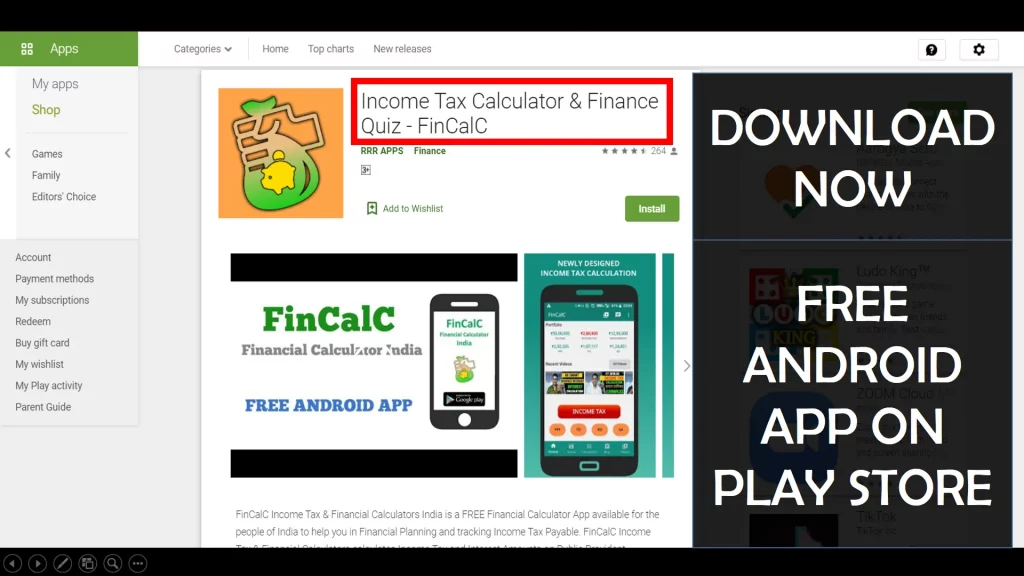
Income Tax Calculator App – FinCalC
For Income Tax Calculation on your mobile device, you can Download my Android App “FinCalC” which I have developed for you to make your income tax calculation easy.
What you can do with this mobile App?
- Calculate Income Tax for FY 2025-26 and previous FY 2024-25
- Enter estimated Investments to check income tax with Old and New Tax Regime
- Save income tax details and track regularly
- Know how much to invest more to save income tax
- More calculators including PPF, SIP returns, Savings account interest and lot more
Use Popular Calculators:
- Income Tax Calculator
- Home Loan EMI Calculator
- SIP Calculator
- PPF Calculator
- HRA Calculator
- Step up SIP Calculator
- Savings Account Interest Calculator
- Lump sum Calculator
- FD Calculator
- RD Calculator
- Car Loan EMI Calculator
- Bike Loan EMI Calculator
- Sukanya Samriddhi Calculator
- Provident Fund Calculator
- Senior Citizen Savings Calculator
- NSC Calculator
- Monthly Income Scheme Calculator
- Mahila Samman Savings Calculator
- Systematic Withdrawal Calculator
- CAGR Calculator
I’d love to hear from you if you have any queries about Personal Finance and Money Management.
JOIN Telegram Group and stay updated with latest Personal Finance News and Topics.
Download our Free Android App – FinCalC to Calculate Income Tax and Interest on various small Saving Schemes in India including PPF, NSC, SIP and lot more.
Follow the Blog and Subscribe to YouTube Channel to stay updated about Personal Finance and Money Management topics.
Disclaimer: Mutual Fund investments are subject to market risks, read all scheme related documents carefully. Registration granted by AMFI, membership of SIRO (if applicable), and certification from NISM in no way guarantee performance of the intermediary or provide any assurance of returns to investors.
Distributor Details: Name: Abhilash Gupta | AMFI Registered Mutual Fund Distributor | ARN: 367014