Filing Income Tax Return (ITR) can often seem like a tedious task, especially when your financial landscape includes diverse income streams such as salary, short-term capital gains (STCG), and long-term capital gains (LTCG). ITR-2 Filing with STCG can be easily done using STCG and LTCG schedules such as Schedule Capital Gain, Schedule 112A, along with the salary income that will calculate your net tax liability.
This blog post is designed to file ITR Form 2, providing a step-by-step walkthrough for individuals who need to file this specific form. Whether you’re a seasoned investor or new to the world of capital gains, understanding of ITR Form 2 is crucial for accurate and compliant tax filing. We’ll cover everything from determining your eligibility for ITR-2 to navigating the online portal, ensuring you have all the information needed for a smooth filing process.
Download Income Tax Calculator in Excel using below button
- How to File ITR-2 Online with STCG Video
- Who Should File ITR Form 2? Key Eligibility Criteria
- Navigating the Income Tax Portal: A Step-by-Step Guide to Online Filing
- Decoding Tax Rebate: Section 87A Explained
- Capital Gains Taxation: STCG vs. LTCG
- STCG Tax Calculation Video with Examples
- Old vs New Tax Regime: Which is Better for You?
- Frequently Asked Questions
- Can we Switch or change between Old and New Tax Regime while filing ITR?
- Who is required to file ITR Form 2?
- What is the primary difference between ITR Form 1 and ITR Form 2?
- How are Short-Term Capital Gains (STCG) taxed when filing ITR Form 2?
- How do I report capital gains from Stocks or mutual funds in ITR Form 2?
- Can the choice of tax regime be changed after filing ITR Form 2?
- Does the Section 87A rebate apply to my STCG or LTCG under ITR-2?
- What is the Section 87A rebate limit for FY 2025-26?
- Can my basic exemption limit still reduce my STCG tax even without the 87A rebate?
- Income Tax Calculator App – FinCalC
How to File ITR-2 Online with STCG Video

Watch more Videos on YouTube Channel
Who Should File ITR Form 2? Key Eligibility Criteria
Before diving into the filing process, it’s essential to confirm if ITR Form 2 is the correct form for your income profile. Choosing the wrong ITR form can lead to complications and potential penalties. Here’s a breakdown of the key scenarios that necessitate filing ITR Form 2:
- High Salary Income: If your salary income surpasses ₹50 lakh in a financial year, ITR Form 2 becomes mandatory. This threshold is a significant indicator for many salaried individuals.
- Multiple House Properties: Ownership of more than one house property, even if one is self-occupied and others are rented out or vacant, requires the filing of ITR Form 2.
- Exclusion for Simple Salary Earners: It’s important to note that if your income solely comprises salary and you do not have any capital gains or income from multiple house properties, ITR Form 1 is the appropriate form for you.
Understanding these criteria is the first and most critical step in ensuring a correct and hassle-free tax filing experience.
ALSO WATCH: Types of ITR Forms to file Income Tax Return
Navigating the Income Tax Portal: A Step-by-Step Guide to Online Filing
The Indian Income Tax Department has streamlined the filing process through its online portal, making it more accessible than ever. Here’s a detailed, step-by-step guide to filing your ITR Form 2 online:
- Login or Register:
- First-Time Users: If you’re new to the portal, you’ll need to register by creating an account. This typically involves providing your Permanent Account Number (PAN) and setting up a password.
- Existing Users: Simply log in using your PAN as your user ID and your password.
- Select Assessment Year and Mode:
- Upon logging in, you’ll be prompted to select the relevant “Assessment Year.” For income earned in Financial Year 2025-26, select Assessment Year 2026-27.
- Choose “Online Mode” for filing your return. This ensures you utilize the e-filing facility.
- Initiate New Filing: Click on the “Start New Filing” option. This will guide you through a series of questions to determine the correct ITR form.
- Select Status and ITR Form:
- When asked about your status, select “Individual.” We are considering filing of income tax returns for Individuals here.
- The system will then prompt you to choose the ITR Form. Select “ITR Form 2”, especially if your income includes capital gains.
- Reason for Filing: You’ll need to specify the reason for filing. The most common reason for individuals filing ITR-2 is “Taxable income is more than basic exemption limit.”
- Choose Applicable Schedules: This is a critical step where you select the schedules relevant to your income and deductions.
- Mandatory Schedules: For ITR-2 filers with capital gains and salary, the essential schedules include:
- Salary: For your income from employment.
- House Property: If you have income or loss from house property.
- Capital Gains: This is vital for reporting your STCG and LTCG.
- Mandatory Schedules: For ITR-2 filers with capital gains and salary, the essential schedules include:
- Select Tax Regime: The portal will present you with the option to choose between the “Old Tax Regime” and the “New Tax Regime”. Carefully consider which regime offers you a lower tax liability. With Old Regime you will be able to claim deductions to save income tax, but with New Regime, you skip the paperwork and may still land on a similar or lower tax liability thanks to the higher Section 87A rebate — see the comparison below.
- Confirm Personal Information: Review and confirm your pre-filled personal details, including your name, address, PAN, and contact information. Ensure all details are accurate.
- Enter Salary Details:
- Input your gross salary as per Section 17(1) of the Income Tax Act. This information is typically available in your Form 16.
- Under the Old Regime, the system will automatically apply the standard deduction of ₹50,000. With new regime, the Standard Deduction amount will be Rs. 75,000
- Claim any other applicable deductions, such as House Rent Allowance (HRA), if you are eligible.
- Enter House Property Details (If Applicable): If you have income or loss from house property, provide the necessary details in this section.
- Enter Capital Gains Details: This is where you report your capital gains from investments.
- Short-Term Capital Gains (STCG):
- Be aware of the tax rates: STCG on transfers before July 23, 2024, is taxed at 15%, while transfers on or after July 23, 2024, are taxed at 20%.
- Enter the “full value of consideration” (selling price) and the “cost of acquisition” (buying price). The system will calculate your STCG.
- Long-Term Capital Gains (LTCG):
- Provide the full value of consideration and cost of acquisition.
- Remember that LTCG up to ₹1.25 lakh in a financial year is exempt from tax under Section 112A — this exemption limit continues unchanged for FY 2025-26.
- Profits above Rs. 1.25 Lakh will be taxed at 12.5%, irrespective of your income tax bracket.
- Short-Term Capital Gains (STCG):
- Other Sources of Income: Verify and confirm any pre-filled details for other income sources, such as interest from savings accounts or dividends. Make corrections if necessary. Saving Account Interest can be claimed further with Section 80TTA in old tax regime.
- Current Year Loss Adjustment (CYLA) and Brought Forward Losses (BFLA): These sections are crucial for optimizing your tax liability. They allow you to:
- Adjust current year losses against current year gains.
- Carry forward losses from previous years to offset future gains.
- Schedule SI (Income Chargeable to Tax at Special Rates): This schedule provides a summary of the tax calculated on your STCG and LTCG at their respective special rates.
- Tax Payable on Total Income: Review the calculated tax liability. The portal will display your total tax payable after considering all your income, deductions, and applicable rebates. Pay close attention to how the Section 87A rebate applies — it can significantly reduce or eliminate tax on your normal (slab-rate) income, but as of FY 2025-26, it cannot be applied against tax on STCG or LTCG under either regime. We explain this in detail below, since it’s one of the most misunderstood parts of ITR-2 filing. However, STCG can be adjusted against basic exemption limit, when normal income is below basic exemption limit
- Proceed to Verification: Once you have confirmed all sections and are satisfied with the calculated tax, proceed to e-verification. The most common method is using your Aadhaar number and the One-Time Password (OTP) sent to your registered mobile number.
Following these steps mentioned above will help you successfully file your ITR Form 2 online.
Use Income Tax Calculator Online
You can use the Online Income Tax Calculator to know hjow much tax you need to pay with Old or New tax regime:

Decoding Tax Rebate: Section 87A Explained
The Section 87A rebate reduces your tax liability, but it works differently depending on your regime — and there’s an important rule around capital gains that trips up a lot of ITR-2 filers.
- Old Tax Regime: A rebate of up to ₹12,500 is available if your total taxable income (including capital gains) doesn’t exceed ₹5 lakh.
- New Tax Regime: A rebate of up to ₹60,000 is available if your total taxable income doesn’t exceed ₹12 lakh — a major jump from the ₹25,000/₹7 lakh limit in earlier years.
But here’s the catch that applies to both regimes: the Section 87A rebate can only be set off against tax computed on income taxed at normal slab rates — salary, house property, interest, and similar income. It cannot be used to reduce tax on STCG (Section 111A, taxed at 20%) or LTCG (Section 112A, taxed at 12.5%), even if your total income falls within the ₹5 lakh or ₹12 lakh threshold.
This wasn’t always fully clear — a few rulings before FY 2025-26 allowed the rebate to offset STCG tax in specific old-regime cases. The Finance Act, 2025 removed that ambiguity, so for FY 2025-26 onward, capital gains tax stays payable regardless of your rebate eligibility on the rest of your income.
Example: Why Your Basic Exemption Still Helps, Even Without the Rebate
Say your only income for the year is ₹4,80,000 in STCG from selling listed shares, and you’re on the Old Regime with no other income:
- Your unused basic exemption limit (₹2,50,000) can still be adjusted against your STCG — this is a separate rule from the 87A rebate, and it still applies.
- Taxable STCG after adjustment: ₹4,80,000 − ₹2,50,000 = ₹2,30,000
- Tax at 20%: ₹46,000
- Even though your total income (₹4.8 lakh) is under the ₹5 lakh rebate threshold, the 87A rebate cannot reduce this ₹46,000 — so your final tax payable is ₹46,000 + 4% cess = ₹47,840.
This is the distinction that catches people out: the basic exemption limit and the Section 87A rebate are two different things, and only the basic exemption limit can be used against capital gains.
Capital Gains Taxation: STCG vs. LTCG
Understanding the difference between Short-Term Capital Gains (STCG) and Long-Term Capital Gains (LTCG) and their respective tax treatments is fundamental for accurate ITR-2 filing:
- Short-Term Capital Gains (STCG): These are gains arising from the sale of capital assets held for a period of 12 months or less (for equity shares and equity-oriented mutual funds) or 36 months or less (for other assets like debt mutual funds, real estate, etc.).
- Tax Rate: STCG on transfers before July 23, 2024, is taxed at 15%. For transfers on or after July 23, 2024, the tax rate increases to 20%. This change is crucial to note for current and future filings.
- Calculation: STCG is calculated as the full value of consideration (selling price) minus the cost of acquisition (buying price).
- Long-Term Capital Gains (LTCG): These are gains from the sale of capital assets held for more than 12 months (for equity shares and equity-oriented mutual funds) or more than 36 months (for other assets).
- Calculation: Similar to STCG, LTCG is calculated as the full value of consideration minus the cost of acquisition.
The distinction between STCG and LTCG, along with their varying tax rates and exemptions, significantly impacts your overall tax liability, making accurate reporting imperative.
Watch below video on STCG Tax Calculation Examples.
STCG Tax Calculation Video with Examples

Old vs New Tax Regime: Which is Better for You?
If your income is purely salary (no capital gains) and stays within ₹12.75 lakh, the New Regime is the easy choice — it’s tax-free by default with no deductions needed.
Once STCG or LTCG enters the picture, the calculation changes, because capital gains tax is payable regardless of regime or rebate eligibility. In that case:
- Compare your salary-only tax liability under both regimes first (New Regime usually wins below ₹12.75 lakh, Old Regime may win above that if you have substantial deductions).
- Add your STCG/LTCG tax separately — this amount doesn’t change based on regime choice or rebate eligibility, aside from your basic exemption offset under the Old Regime.
- Pick whichever regime gives you the lower total (salary tax + capital gains tax).
You can also watch the Income Tax Videos in this playlist, to solve your queries.
Some more Reading:
- What is Form 16 in Income Tax Return and how to Download
- ITR 1 Filing Complete Guide for Beginners with Salary
- 10 Common ITR Filing Mistakes
Frequently Asked Questions
Can we Switch or change between Old and New Tax Regime while filing ITR?
Yes, every year while filing ITR, you get the option to select between Old or New Tax regime, so irrespective of what tax regime you select in this year, you will again get the option to choose in the next financial year as well while filing your income tax returns.
Who is required to file ITR Form 2?
ITR Form 2 is mandatory for individuals who have a gross salary income exceeding ₹50 lakh in a financial year, own more than one house property, or have income from capital gains (short-term or long-term) from sources like the stock market, mutual funds, or other capital assets. If you only have salary income and no capital gains or multiple house properties, ITR Form 1 is typically the correct form.
What is the primary difference between ITR Form 1 and ITR Form 2?
The primary difference lies in the types of income that can be reported. ITR Form 1 (Sahaj) is for resident individuals having total income up to ₹50 lakh from salary, one house property, other sources (interest, etc.), and agricultural income up to ₹5,000. ITR Form 2 is for individuals and HUFs not carrying out business or profession, having income from salary, house property, capital gains, foreign assets/income, agricultural income exceeding ₹5,000, etc. It’s the go-to form if you have capital gains from investments.
How are Short-Term Capital Gains (STCG) taxed when filing ITR Form 2?
Short-Term Capital Gains (STCG) from the sale of equity shares or equity-oriented mutual funds are typically taxed at special rates. For transfers made before July 23, 2024, the STCG is taxed at 15%. For transfers on or after July 23, 2024, the tax rate for STCG increases to 20%. Other STCG (e.g., from debt funds, property) are added to your total income and taxed at your applicable income tax slab rates.
How do I report capital gains from Stocks or mutual funds in ITR Form 2?
When reporting capital gains from Stocks or mutual funds in ITR Form 2, you need to differentiate between equity-oriented and debt-oriented funds, and also between short-term and long-term gains. You’ll enter the full value of consideration (selling price) and the cost of acquisition (buying price) for each transaction in the relevant capital gains schedule (e.g., Schedule CG, Schedule 112A). It’s crucial to have your Capital Gains Statement from your broker or mutual fund house ready.
Can the choice of tax regime be changed after filing ITR Form 2?
While the choice of tax regime can sometimes be changed in subsequent assessment years, it’s generally advisable to make an informed decision before filing. For salaried individuals, the option to switch between regimes is available year after year. However, for those with business income, the flexibility to switch might be limited to a one-time option. Always re-evaluate your choice each year based on your income and investment plans.
Does the Section 87A rebate apply to my STCG or LTCG under ITR-2?
No. As of FY 2025-26, the rebate can only be set off against tax on income taxed at slab rates (salary, house property, etc.). It cannot reduce tax on STCG (Section 111A) or LTCG (Section 112A), under either the Old or New Regime.
What is the Section 87A rebate limit for FY 2025-26?
₹12,500 under the Old Regime (income up to ₹5 lakh) and ₹60,000 under the New Regime (income up to ₹12 lakh, or ₹12.75 lakh for salaried employees after the standard deduction).
Can my basic exemption limit still reduce my STCG tax even without the 87A rebate?
Yes. If you have unused basic exemption (₹2.5 lakh under Old Regime, ₹4 lakh under New Regime) after accounting for other income, it can be adjusted against your capital gains before tax is calculated. This is separate from — and unaffected by — the 87A rebate restriction.
Save Home Loan Interest Amount!
Use Home Loan Excel Calculator that will help you to Save Interest Amount on Home Loan EMI.
Click below button to download Home Loan EMI and Prepayment Calculator in Excel:
Watch how Home Loan Calculator in Excel Works
Income Tax Calculator App – FinCalC
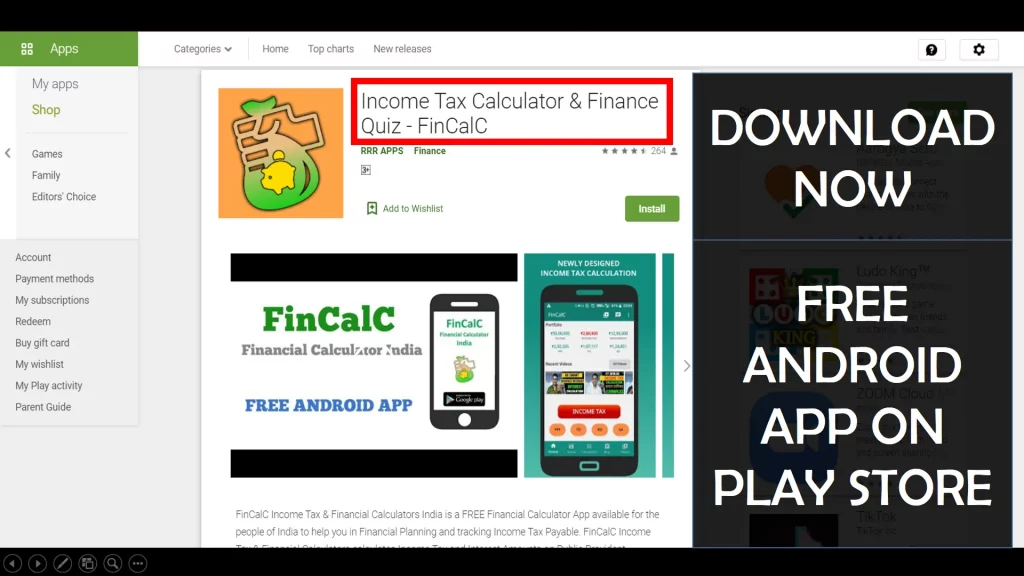
For Income Tax Calculation on your mobile device, you can Download my Android App “FinCalC” which I have developed for you to make your income tax calculation easy.
What you can do with this mobile App?
- Calculate Income Tax for FY 2025-26 and previous FY 2024-25
- Enter estimated Investments to check income tax with Old and New Tax Regime
- Save income tax details and track regularly
- Know how much to invest more to save income tax
- More calculators including PPF, SIP returns, Savings account interest and lot more
Use Popular Calculators:
- Income Tax Calculator
- Home Loan EMI Calculator
- SIP Calculator
- PPF Calculator
- HRA Calculator
- Step up SIP Calculator
- Savings Account Interest Calculator
- Lump sum Calculator
- FD Calculator
- RD Calculator
- Car Loan EMI Calculator
- Bike Loan EMI Calculator
- Sukanya Samriddhi Calculator
- Provident Fund Calculator
- Senior Citizen Savings Calculator
- NSC Calculator
- Monthly Income Scheme Calculator
- Mahila Samman Savings Calculator
- Systematic Withdrawal Calculator
- CAGR Calculator
I’d love to hear from you if you have any queries about Personal Finance and Money Management.
JOIN Telegram Group and stay updated with latest Personal Finance News and Topics.
Download our Free Android App – FinCalC to Calculate Income Tax and Interest on various small Saving Schemes in India including PPF, NSC, SIP and lot more.
Follow the Blog and Subscribe to YouTube Channel to stay updated about Personal Finance and Money Management topics.
Disclaimer: Mutual Fund investments are subject to market risks, read all scheme related documents carefully. Registration granted by AMFI, membership of SIRO (if applicable), and certification from NISM in no way guarantee performance of the intermediary or provide any assurance of returns to investors.
Distributor Details: Name: Abhilash Gupta | AMFI Registered Mutual Fund Distributor | ARN: 367014