Every year between April and July, millions of salaried Indians open the income tax portal, stare at it for a few minutes, and either close the tab in confusion or hurriedly submit something incorrect. If you are filing your ITR for the first time — or have been filing it for years without fully understanding what you are doing — this article about Things to know Before Filing ITR is for you.
Filing your Income Tax Return is not as complicated as it sounds. But there are several things you need to know before you start — the right form to use, the documents to gather, what to check before submitting, and common mistakes that silently invite income tax notices. I will walk you through everything step by step.
You can Download the Income Tax Calculator to check your Tax liability with Old and New Tax Regime:
- 1 – Know Your Assessment Year vs Financial Year
- 2 – Choose the Right ITR Form
- 3 – Gather These Documents Before You Start
- 4 – Always Check Form 26AS, AIS and TIS Before Filing
- 5 – Declare ALL Income — Not Just Salary
- 6 – Old Regime vs New Regime – You Choose While Filing
- 7 – Can You File ITR Without a CA?
- 8 – Verify Your ITR After Filing – This Step is Mandatory
- 9 – Claim Your TDS Refund Correctly
- Common Mistakes Beginners Make While Filing ITR
- ITR Filing Dates for FY 2025-26 (AY 2026-27)
- Frequently Asked Questions on ITR Filing
- Conclusion
1 – Know Your Assessment Year vs Financial Year
This is the first thing that confuses beginners — and it is simpler than it looks.
- Financial Year (FY) = the year in which you earned your income. April 2025 to March 2026 = FY 2025-26
- Assessment Year (AY) = the year in which you file the ITR for that income. So income earned in FY 2025-26 is filed in AY 2026-27
When you open the ITR portal and it asks you to select the Assessment Year — if you are filing your taxes for income earned between April 2025 and March 2026, select AY 2026-27.
Getting this wrong means you filed your return for the wrong year — a mistake that takes time and effort to fix.
2 – Choose the Right ITR Form
This is the most important step. Filing the wrong ITR form can lead to notices, delayed refunds, and the return being treated as defective. CBDT has notified ITR forms 1 through 7 for FY 2025-26 (AY 2026-27). The correct form depends on your income sources, income amount, and taxpayer category.
Here is a simple guide for individual taxpayers:
ITR-1 (Sahaj) — The simplest form, for most salaried employees:
- Salary or pension income
- Income from one house property
- Interest income, dividend income, other sources
- Total income up to Rs. 50 Lakh
- Salaried individuals with long-term capital gains up to Rs. 1.25 Lakh from listed equity or equity mutual funds can now also use ITR-1
- Cannot use ITR-1 if: you are a director in a company, have foreign assets, have more than one house property, or have business income
ITR-2 — For those with capital gains or multiple properties:
- Salary income above Rs. 50 Lakh
- Income from more than one house property
- Foreign income or assets
- Most people who trade in the stock market for investment (not trading) use ITR-2
ITR-3 — For business income and F&O traders:
- Income from a proprietary business or profession
- Individuals with F&O trades, business income, or multiple income sources must file ITR-3
- Also used by company directors who have business income
ITR-4 (Sugam) — For small business owners and freelancers under presumptive taxation:
- Available for individuals, HUFs and firms (excluding LLPs) with business or professional income under the presumptive taxation scheme — Section 44AD or 44ADA
- Total income up to Rs. 50 Lakh
- Ideal for small traders, freelancers, consultants, doctors, architects opting for Section 44ADA
Quick rule of thumb:
- Salaried with no side income → ITR-1
- Salaried with stocks or mutual fund redemptions → ITR-2
- Freelancer or small business → ITR-4
- F&O trader or director → ITR-3
ALSO READ: Types of ITR Forms
3 – Gather These Documents Before You Start
Nothing causes last-minute panic more than sitting down to file and realizing you are missing a document. Keep these documents ready before you begin filing ITR for FY 2025-26.
- Form 16 — issued by your employer, Form 16 contains details of salary paid and TDS deducted during the financial year. Part A covers employer and employee details with TDS information. Part B covers salary breakup, exemptions, and deductions claimed
- Form 26AS — your consolidated tax credit statement showing all TDS deducted, advance tax paid, and self-assessment tax paid
- AIS (Annual Information Statement) — shows all financial transactions reported against your PAN — salary, interest, dividends, mutual fund redemptions, property sale, and more
- Bank statements — for interest income from savings accounts and fixed deposits
- Investment proofs — receipts for Section 80C, 80D, NPS, HRA rent receipts, home loan interest certificate
- Form 16A — TDS certificates from banks if TDS was deducted on FD interest
4 – Always Check Form 26AS, AIS and TIS Before Filing
Before filing your ITR, three documents need to be reviewed together: Form 26AS, the Annual Information Statement (AIS), and the Taxpayer Information Summary (TIS). Each serves a different purpose. Looking at only one creates blind spots that commonly lead to refund adjustments, mismatch notices, or post-filing queries.
Here is what each one tells you:
- AIS — shows all income and transactions reported against your PAN by third parties — your employer, banks, mutual funds, registrar for property sale, and more
- TIS — an aggregated version of AIS designed to pre-fill your ITR with processed income figures
The most common reason for income tax notices is a mismatch between what you filed and what the Income Tax Department already has on record. Checking all three documents closes that gap before it becomes a problem.
One thing to watch specifically: If you changed jobs during FY 2025-26, you have two Form 16s. Many taxpayers add the gross salary but accidentally claim the standard deduction of Rs. 75,000 twice — once in each employer’s calculation. The portal cross-checks employer-wise data in AIS and flags this.
5 – Declare ALL Income — Not Just Salary
This is a mistake even experienced filers make. Your taxable income includes:
- Salary from all employers during the year — including previous employer if you changed jobs
- Savings account interest — fully taxable, though deductible up to Rs. 10,000 under Section 80TTA
- Fixed deposit interest — fully taxable at your slab rate, even if TDS was deducted
- Dividend income from stocks and mutual funds — taxable above Rs. 5,000 per year in the old regime
- Rental income from any property you own and rent out
- Freelance or part-time income — even if it was paid informally in cash
The AIS statement will show most of these. If your ITR does not match the AIS, you will receive a notice asking for an explanation. It is always better to declare everything and pay the correct tax than to receive a notice months later.
VIDEO – How to Calculate Income Tax on Salary Payslip

Watch more Videos on YouTube Channel
6 – Old Regime vs New Regime – You Choose While Filing
Every year when you file your ITR, you can choose between old and new tax regime. New regime is the default — if you do not actively choose old regime while filing, new regime applies automatically.
- If you have significant investments — 80C, 80D, HRA, home loan interest — calculate your tax under both regimes and choose the one that gives lower tax
- If you are a salaried employee and your employer already deducted TDS under one regime, you can still switch while filing ITR — the difference will be reflected as refund or additional tax payable
- I have explained how to calculate and compare both regimes in detail in the income tax calculator article here
7 – Can You File ITR Without a CA?
Yes — absolutely. The majority of salaried individuals in India file ITR on their own, especially using ITR-1 or ITR-2. The government’s income tax portal at incometax.gov.in is well-designed for self-filing.
Here is when you can easily file on your own:
- You are a salaried employee with only salary income, interest income and simple investments
- Your Form 16 clearly shows all salary components and TDS deducted
- You have no business income, no F&O trading, no foreign assets
Here is when a CA genuinely helps:
- You have business income, are self-employed or are a freelancer with multiple clients
- You have capital gains from property sale or a large stock portfolio
- You have foreign income, foreign assets or are an NRI
- You received a notice from the Income Tax Department
- Your income is from multiple sources and you are unsure which form to use
For most salaried employees, self-filing is straightforward and free of cost on the official portal. Platforms like ClearTax, Tax2Win and myITreturn also offer guided filing with a step-by-step interface that makes it even simpler.
8 – Verify Your ITR After Filing – This Step is Mandatory
Filing your ITR is not the last step. Your return is considered complete only after you e-verify it. Without verification, your ITR is treated as invalid — as if you never filed it.
How to e-verify:
- Aadhaar OTP — the fastest way, available if your Aadhaar is linked to your PAN and mobile number
- Net banking — log in to your bank’s net banking and verify through the income tax portal
- Demat account — verify using your CDSL or NSDL demat account
- Bank account EVC — generate an Electronic Verification Code through your bank
You must e-verify within 30 days of filing the return. If you miss this, you can also send a signed physical copy of ITR-V by post to the CPC office in Bengaluru — but e-verification is faster and recommended.
9 – Claim Your TDS Refund Correctly
If more TDS was deducted from your salary, FD interest or any other income than your actual tax liability — you are entitled to a Tax Refund. But the refund only comes if:
- Your ITR is filed correctly with the right income and deductions
- The TDS amount in your Form 26AS matches what you have claimed in your ITR
- Your bank account is pre-validated on the income tax portal and linked to your PAN
- Your ITR is e-verified
Refunds are usually credited within 15 to 45 days of e-verification for straightforward returns. If your refund is delayed, you can track it at tin nsdl portal or directly on the income tax portal under the refund status section.
Common Mistakes Beginners Make While Filing ITR
- Not reporting FD interest — banks deduct only 10% TDS on FD interest, but if your actual tax rate is 20% or 30%, the remaining tax is your liability — failing to declare it leads to notices
- Forgetting mutual fund redemptions — even small redemptions appear in AIS. Declare capital gains even if they are below the taxable threshold
- Entering wrong bank account number — your refund will fail to credit if the bank account is wrong or not validated
- Not reconciling two Form 16s after a job change — leads to double standard deduction claim
- Missing the e-verification — your ITR is not complete until verified
- Ignoring interest on savings account — it looks small but it is taxable, and it shows up in AIS
ITR Filing Dates for FY 2025-26 (AY 2026-27)
| Category | Due Date |
|---|---|
| Salaried individuals, ITR-1 and ITR-4 | July 31, 2026 |
| Individuals requiring audit | October 31, 2026 |
| Belated or revised return | December 31, 2026 |
- Late filing after July 31 attracts a penalty of Rs. 1,000 if income is below Rs. 5 Lakh, and Rs. 5,000 if income is above Rs. 5 Lakh under Section 234F
- Interest under Section 234A is also applicable on tax payable if filed after the due date
- File on time — there is no benefit to waiting and significant cost to missing the deadline
Frequently Asked Questions on ITR Filing
What is the basic knowledge needed for ITR filing?
You need to know your total income from all sources, the TDS already deducted (from Form 26AS), the deductions you are eligible for, and which ITR form applies to your income type. The income tax portal pre-fills much of this data from Form 26AS and AIS — your job is to review, correct if needed, and submit.
Which ITR form should a salaried employee use?
Most salaried employees with income up to Rs. 50 Lakh and no major capital gains should use ITR-1. If you have capital gains from stocks or mutual funds, or income above Rs. 50 Lakh, use ITR-2.
Can I revise my ITR after filing if I made a mistake?
Yes. You can file a revised return before December 31, 2026 for FY 2025-26. The revised return replaces the original. There is no penalty for filing a revised return within the due date.
Is ITR filing mandatory if I have no tax to pay?
If your gross income exceeds Rs. 2,50,000, filing ITR is mandatory even if your net tax is zero due to Section 87A rebate or deductions. Additionally, if you want to carry forward capital losses to offset future gains, filing ITR is mandatory.
What happens if I do not file ITR?
You may receive a notice from the Income Tax Department, lose your refund entitlement, be unable to carry forward capital losses, face penalties under Section 234F, and it may affect your loan eligibility since most banks ask for ITR as income proof.
Conclusion
Filing ITR is not just a legal obligation — it is your financial identity document. A clean filing history strengthens your credit profile, helps you get loans faster, and ensures you never pay more tax than you owe. Use the income tax calculator on this page to calculate your exact tax liability before you file, so you know exactly where you stand before opening the portal.
Some more Reading:
Save Home Loan Interest Amount!
Use Home Loan Excel Calculator that will help you to Save Interest Amount on Home Loan EMI.
Click below button to download Home Loan EMI and Prepayment Calculator in Excel:
Watch how Home Loan Calculator in Excel Works
Income Tax Calculator App – FinCalC
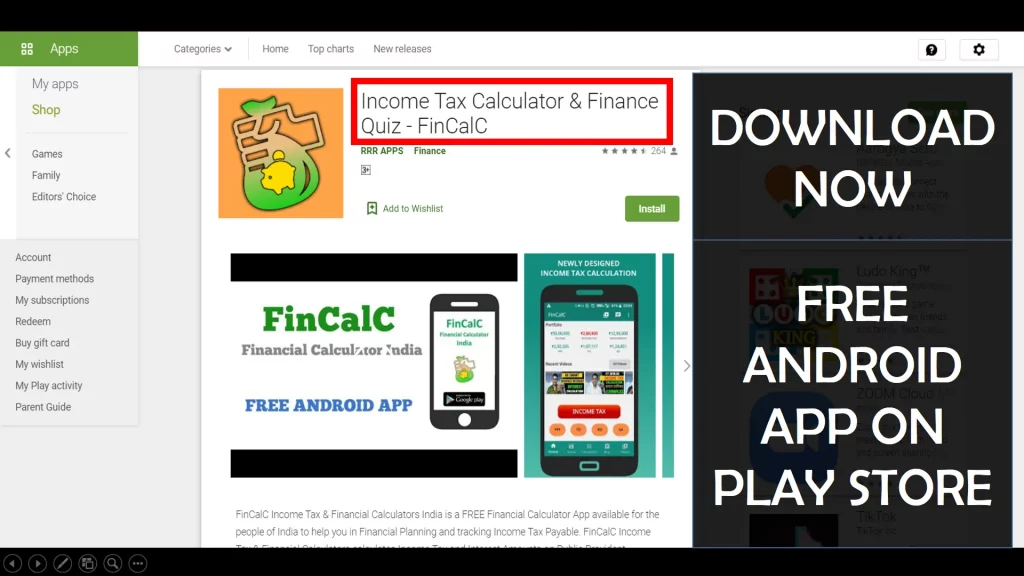
For Income Tax Calculation on your mobile device, you can Download my Android App “FinCalC” which I have developed for you to make your income tax calculation easy.
What you can do with this mobile App?
- Calculate Income Tax for FY 2025-26 and previous FY 2024-25
- Enter estimated Investments to check income tax with Old and New Tax Regime
- Save income tax details and track regularly
- Know how much to invest more to save income tax
- More calculators including PPF, SIP returns, Savings account interest and lot more
Use Popular Calculators:
- Income Tax Calculator
- Home Loan EMI Calculator
- SIP Calculator
- PPF Calculator
- HRA Calculator
- Step up SIP Calculator
- Savings Account Interest Calculator
- Lump sum Calculator
- FD Calculator
- RD Calculator
- Car Loan EMI Calculator
- Bike Loan EMI Calculator
- Sukanya Samriddhi Calculator
- Provident Fund Calculator
- Senior Citizen Savings Calculator
- NSC Calculator
- Monthly Income Scheme Calculator
- Mahila Samman Savings Calculator
- Systematic Withdrawal Calculator
- CAGR Calculator
I’d love to hear from you if you have any queries about Personal Finance and Money Management.
JOIN Telegram Group and stay updated with latest Personal Finance News and Topics.
Download our Free Android App – FinCalC to Calculate Income Tax and Interest on various small Saving Schemes in India including PPF, NSC, SIP and lot more.
Follow the Blog and Subscribe to YouTube Channel to stay updated about Personal Finance and Money Management topics.
Disclaimer: Mutual Fund investments are subject to market risks, read all scheme related documents carefully. Registration granted by AMFI, membership of SIRO (if applicable), and certification from NISM in no way guarantee performance of the intermediary or provide any assurance of returns to investors.
Distributor Details: Name: Abhilash Gupta | AMFI Registered Mutual Fund Distributor | ARN: 367014